
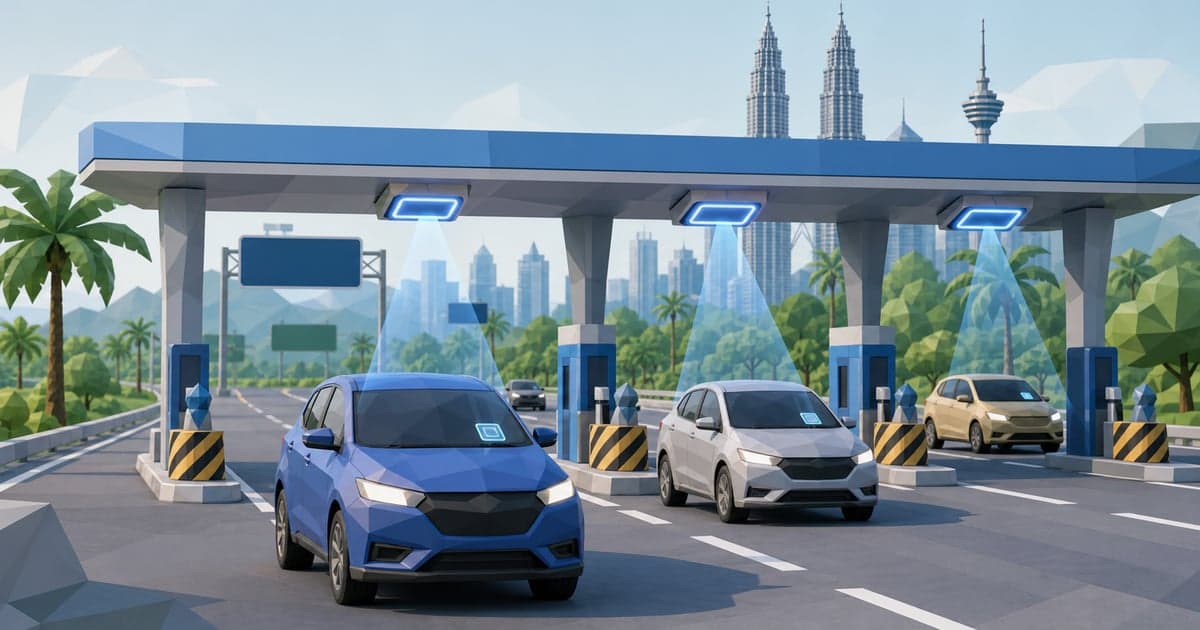
Key Takeaways
- →Malaysia has three ways to pay a toll: the Touch 'n Go card (tap and go), SmartTAG (an in-car infrared device that reads the card without you touching it), and RFID (a sticker tag on your headlamp linked to your TnG eWallet). RFID is the direction the whole country is moving, and Touch 'n Go now has roughly 4.7 million registered RFID users.
- →A Touch 'n Go RFID self-fitment tag costs RM35 and you stick it on yourself, or a fitment centre applies it free with a purchase. It links to your TnG eWallet, tolls are deducted from the wallet balance, and turning on auto-reload with a linked card means you never run dry at the barrier. Activation is within 24 hours.
- →RFID lanes now exist at every tolled highway nationwide except LPT1 and LPT2 (the East Coast Expressway), which still run on SmartTAG and the TnG card. SmartTAG remains useful as a backup and for those two highways, but it is a legacy technology on its way out.
- →The Enhanced RFID lane that went live at AKLEH (Dato Keramat plaza) in July 2026 reads existing tags at over 99.98% accuracy and lets you keep speed instead of crawling. Touch 'n Go targets 10 such lanes by end-2026, all reusable as future MLFF gantries.
- →The endgame is MLFF (Multi-Lane Free Flow): barrier-free tolling with no booths, mooted for around 2027 but dependent on getting more than 85 percent of road users registered on RFID first. Getting an RFID tag now is the single best thing you can do to be ready.
Status (July 2026): The first Enhanced RFID lane went live at the AKLEH Dato Keramat toll plaza in July 2026, marked with a gold star. It reads existing Touch 'n Go RFID tags at over 99.98% accuracy and processed more than 30% more vehicles per hour than a conventional RFID lane in trials. Touch 'n Go plans 10 Enhanced RFID lanes across selected highways by the end of 2026, using its locally developed Titan Flow stack (dual RFID antennas, ANPR number-plate cameras, AI/ML, and LiDAR for vehicle classification). No new tag or registration is needed, tags issued as far back as the 2018 pilot still work. SmartTAG and the physical TnG card continue to be accepted; nothing is being switched off overnight.
In This Guide
The Three Ways to Pay a Malaysian Toll
Every tolled highway in Malaysia is run on the Touch 'n Go payment rail. What changes is how you present that payment at the barrier. In 2026 there are three live methods, and understanding the difference stops you queuing in the wrong lane.
At-a-glance comparison (July 2026):
| Method | What it is | Upfront cost | Where you pay | Speed | Direction of travel |
|---|---|---|---|---|---|
| Touch 'n Go card | Physical contactless card | ~RM10 (card) | Tap on the reader at the booth | Slowest, you stop and tap | Legacy, still everywhere |
| SmartTAG | In-car infrared device that holds your TnG card | ~RM100 device + a card | Drive slowly through a SmartTAG lane | Medium, no window-down tap | Being phased out over time |
| RFID | Sticker tag on your headlamp, linked to TnG eWallet | RM35 (self-fitment) | Drive through an RFID lane | Fastest today, fully automatic | The national standard going forward |
Touch 'n Go card. The original. A blue contactless card you top up and tap on the reader mounted at the toll booth. It works at every plaza in the country, needs no device and no wallet app, and is the fallback everyone should still keep in the glovebox. The downside is you stop, wind the window down, and tap, which is the slowest option and the one that causes holiday-weekend tailbacks.
SmartTAG. An in-car unit (roughly RM100 as a one-off purchase) into which you insert your Touch 'n Go card. It talks to the toll gantry over infrared, so you drive slowly through a dedicated SmartTAG lane without touching anything. For years this was the premium, hands-free way to travel. It has two weaknesses: the device runs on a battery that dies at the worst moment, and it needs clear line-of-sight to the reader, so a dirty windscreen or a badly angled unit produces the dreaded "beep of shame" and a raised barrier in your face. SmartTAG is a legacy technology now, and the government has signalled it will be retired in stages as RFID lanes take over.
RFID (Radio Frequency Identification). A thin sticker tag containing a chip and antenna, applied to your vehicle's left headlamp (or in some fitment cases the windscreen). An overhead reader at the RFID lane picks up the tag as you drive through and deducts the toll straight from your linked Touch 'n Go eWallet. There is no device to charge, no card to insert, and no window to wind down. RFID is the method Malaysia is standardising on, and it is the only one of the three that carries forward into the barrier-free MLFF future described later in this guide.
Which should you use? If you drive on tolled highways at all, fit an RFID tag. Keep a topped-up Touch 'n Go card in the car as a backup for the handful of situations RFID does not yet cover (mainly LPT1 and LPT2). Only keep or buy a SmartTAG if you regularly use those East Coast highways and want a hands-free option there, or you simply prefer it as redundancy. Keeping your vehicle road-legal alongside all this means current road tax and insurance, covered separately below.
How Touch 'n Go RFID Actually Works
RFID is deliberately boring in daily use, which is the point. Once fitted and activated, you do nothing at the toll except drive through the correct lane.
The chain of events at the barrier:
- You approach a lane marked RFID (look for the signage; RFID lanes are usually separate from Tunai/cash, kad/card, and SmartTAG lanes).
- An overhead or roadside reader emits a radio signal that powers and reads the passive chip in your tag. The tag reflects back its unique ID. This is passive RFID, so the tag itself has no battery and never needs charging.
- The system matches that ID to your Touch 'n Go eWallet account and deducts the toll fare from your wallet balance.
- The barrier lifts and the LED board shows your remaining balance. The whole exchange takes a fraction of a second when it works cleanly.
Passive tag, no battery, nothing to charge. Unlike SmartTAG, an RFID sticker has no power source and no moving parts. That removes the single most common SmartTAG failure (a flat battery) and means the tag should last the life of the sticker's adhesion, tags from the original 2018 pilot are reportedly still being read in 2026.
One tag, one vehicle. The tag is bonded to your car and to your eWallet. If you sell the car, the tag stays on it and you fit a fresh one to your new vehicle. You cannot peel a tag off and reuse it; lifting it damages the antenna. Households with multiple cars fit one tag per car, each linkable to the same eWallet or to separate wallets.
RFID beyond tolls. The same tag is used at participating Petronas stations for RFID fuel payment and at selected car parks, so a single tag can handle toll, fuel and parking without you reaching for a card or phone. If you would rather run fuel and parking through an app instead of the tag, Setel is the Petronas e-wallet that pays for petrol from inside your car and covers parking at a growing list of sites; many drivers run RFID for tolls and Setel for fuel. Either way, the toll side stays on RFID.
Reading reliability. Older RFID readers needed you to slow to a crawl for a clean read, which frustrated early adopters. The signal can be weakened by a metallic or heavily tinted headlamp area, a tag applied over a curved or dirty surface, or a tag physically damaged by a car wash brush. The new Enhanced RFID lanes (covered later) largely fix the speed-and-accuracy issue by using better antennas and dual verification with number-plate cameras.
Getting and Fitting an RFID Tag
There are two routes to an RFID tag: do it yourself with a self-fitment kit, or have a fitment centre apply it. Both link to the same Touch 'n Go eWallet.
Self-fitment kit (RM35). Order the Touch 'n Go RFID self-fitment tag from the official TnG eWallet app store or the online shop. It arrives with the sticker tag and instructions. You register the vehicle in the app, stick the tag on, and activate. This is the cheapest route and fine for anyone comfortable following a careful sticker-application process.
Assisted fitment. Touch 'n Go fitment centres and partner locations (including selected petrol stations and service centres) will apply the tag for you, often bundled free when you buy through them or as part of a promotion. This is worth it if you are unsure about placement, because a badly stuck tag is the leading cause of read failures.
Where the tag goes. The official placement is the left headlamp (the passenger-side headlamp). Some fitment centres place it on the windscreen instead, typically top-left. The rules that matter:
- Apply it to a clean, dry, flat area. Wipe the surface with alcohol and let it dry so the adhesive bonds properly.
- Do not stick it over metallic paint edges, chrome, or heavy tint, which can shield the radio signal.
- Once applied, do not peel and re-stick. Lifting the tag stretches and breaks the internal antenna, and a damaged tag will not read. If you get placement wrong, you need a new tag.
- Keep it clean. A tag caked in road grime or waxed over can read poorly.
The activation steps:
- Install and open the Touch 'n Go eWallet app and make sure your account is verified (this needs your IC or passport).
- Go to the RFID section and register your vehicle details and number plate, and upload the tag's serial where prompted.
- Apply the tag to the headlamp or windscreen following the placement rules above.
- Activate in the app. Activation completes within 24 hours; you cannot use the lane until it shows active.
- Do a first test run at a nearby RFID lane with enough wallet balance, and watch the LED board confirm the deduction.
Faulty tag after fitment. If the tag was applied and activated correctly but fails to read at multiple plazas, it may be defective. Report it through the Touch 'n Go eWallet help centre; genuinely faulty or damaged pilot-era stickers have historically been replaced. Do not try to fix a suspected bad tag by re-sticking it, that only guarantees failure.
Before your first long highway run, it is worth reading our driving guide for the wider rules of the road, lane discipline at plazas, and what to carry.
Reload, eWallet Linkage and Auto-Reload
RFID is only as reliable as the wallet behind it. A tag reads perfectly and still fails the transaction if the eWallet is empty, so getting the top-up mechanics right matters more than anything else.
The wallet is the account. Your RFID tag has no stored value of its own. Every toll is deducted from your Touch 'n Go eWallet balance. This is different from the old physical card, which held its own balance. With RFID, if the wallet is at RM2 and the toll is RM5, the barrier stays down.
How to reload the eWallet:
- In-app top-up from a linked debit or credit card, online banking (FPX), or DuitNow. This is instant and can be done anywhere.
- Auto-reload, the setting that matters most: link a card and set the wallet to top up automatically (for example, add RM50 whenever the balance falls below RM20). With auto-reload on, you effectively never run out at a barrier.
- Cash reload at Touch 'n Go kiosks, selected stores and petrol stations, if you prefer not to link a card.
Why auto-reload is non-negotiable for RFID. The failure mode that traps people is arriving at a busy RFID lane with an empty wallet, the barrier does not lift, and you are stuck with a queue behind you. Auto-reload removes this class of problem entirely. Turn it on the day you activate the tag.
Checking your balance and history. The eWallet app shows your live balance and a transaction log of every toll deducted, with plaza name and time. If a deduction looks wrong (double charge, wrong fare), you dispute it through the app's help centre with the transaction reference.
One wallet, multiple tags. A household can link several vehicles' tags to a single eWallet, so all cars draw from one balance and one auto-reload rule. This is convenient for a family, but watch the balance if several cars travel at once. Alternatively, give each car its own wallet.
Foreign visitors. Tourists can register a Touch 'n Go eWallet with a passport and top up with an international card, but fitting an RFID tag for a short rental is usually not worth it. Rental cars normally come with a SmartTAG or card already, and the rental company handles tolls. If you are here longer term, RFID plus auto-reload is the setup to have.
Highway Coverage and the LPT Exception
RFID has gone from a pilot on a few plazas to near-universal coverage. Knowing the one significant gap saves you from being stuck in the wrong lane.
Where RFID works. RFID lanes are now available at every tolled highway nationwide except LPT1 and LPT2, the two segments of the East Coast Expressway (Lebuhraya Pantai Timur) heading toward Kuantan, Kuala Terengganu and Kota Bharu. Everywhere else, including the entire North-South Expressway (PLUS), the Klang Valley network (AKLEH, DUKE, BESRAYA, SPRINT, LDP, NKVE, ELITE, SILK, MEX, SMART and the rest), Penang's bridges and the Johor links, has RFID lanes.
The LPT1 and LPT2 gap. On these two East Coast highways you still pay with SmartTAG or the physical Touch 'n Go card. If you drive to the East Coast regularly, this is the main reason to keep a working SmartTAG or a topped-up card in the car. Check current signage, as concessionaires do add RFID lanes over time, but plan for card or SmartTAG on the LPT as of 2026.
PLUS and the North-South Expressway. The country's busiest highway operator runs RFID across its network. On a KL to Penang or KL to Johor run you can travel end to end on RFID, entering and exiting through RFID lanes at each barrier. During peak holiday exoduses, RFID lanes still back up simply because of volume, which is exactly the problem the Enhanced RFID and MLFF programmes aim to solve.
Reading the lane signage. At a plaza you will see lanes marked for Tunai (cash), Kad (Touch 'n Go card tap), SmartTAG, and RFID. Some lanes are shared (for example a combined card-and-RFID lane). Get into the correct lane early; cutting across at the last moment at a busy plaza is dangerous and is a common cause of near-misses. For the broader picture of getting around Malaysia by road, rail and air, see our transport guide.
Open vs closed toll systems. On closed systems (like most of the NSE) you take a ticket or tag-in at entry and pay by distance at exit, so your RFID must read cleanly at both ends. On open systems (many Klang Valley highways) you pay a flat fare at a single barrier. RFID handles both; the only thing to remember on closed systems is that a missed entry read can complicate your exit charge, another reason a well-fitted tag matters.
Enhanced RFID Lanes and the Road to MLFF
The most important toll story of 2026 is the arrival of Enhanced RFID and the groundwork it lays for barrier-free tolling.
Enhanced RFID lane, live at AKLEH (July 2026). Touch 'n Go switched on its first Enhanced RFID lane at the AKLEH Dato Keramat toll plaza in July 2026, marked with a gold star so drivers can find it. In trials it achieved 100% vehicle detection and read over 99.98% of existing Touch 'n Go RFID tags, and it processed more than 30% more vehicles per hour than a conventional RFID lane. Crucially, it reads the tags you already have, no new sticker or registration is required.
What makes it "enhanced". The lane uses components of Touch 'n Go's locally developed Titan Flow technology:
- Dual patented RFID antennas and an optimised reader tuned to read tags accurately even above the national speed limit, so you keep moving instead of crawling.
- ANPR (Automatic Number Plate Recognition) cameras that read your plate as a second check, giving dual verification when the RFID read and the plate agree.
- AI and machine learning to reconcile reads and handle edge cases.
- LiDAR for vehicle classification (working out the toll class) on the full Titan Flow build. The initial AKLEH lane omits LiDAR to keep costs down and accepts Class 1 vehicles only.
Reusable hardware. The installed Enhanced RFID equipment is designed to be fully reusable as future MLFF gantries, so the money spent now is not throwaway. Touch 'n Go is targeting 10 Enhanced RFID lanes across selected highways by the end of 2026.
What MLFF actually means. MLFF stands for Multi-Lane Free Flow: tolling with no barriers and no booths at all. You drive at normal speed across all lanes and gantries overhead read your tag (and your plate) and charge you automatically. It removes the physical bottleneck of a barrier entirely. MLFF has been talked about in Malaysia for the better part of two decades; the more definitive current target places implementation around 2027, though it depends on concessionaires agreeing on a common approach.
The 85% registration hurdle. MLFF only works if almost everyone is enrolled, because there is no barrier to stop a non-paying car; enforcement relies on ANPR catching plates and billing or fining afterwards. Touch 'n Go currently has around 4.7 million registered RFID users, and industry commentary suggests more than 85% of road users need to be RFID-registered before full MLFF is viable. That gap is why the smartest move today is simply to get an RFID tag: every new registration moves the country closer to barrier-free tolls.
What this means for you. Nothing you own becomes obsolete. Your existing RFID tag carries straight into Enhanced RFID lanes and, eventually, MLFF. SmartTAG and the card keep working for now. The trajectory is clear though: RFID is the future, SmartTAG is the past, and the card is the backup.
Common RFID Problems and How to Fix Them
RFID is reliable when set up correctly, but the failure modes are specific and mostly avoidable. Work through these before assuming your tag is broken.
The barrier does not lift:
- Empty eWallet. The single most common cause. The tag read fine but there was no balance to deduct. Fix: turn on auto-reload so this never happens; in the moment, you may need to reverse out (if safe and permitted) or call the help button in the lane.
- Tag not activated. If you fitted the tag less than 24 hours ago, it may not be live yet. Check the app shows it active before relying on it.
- Wrong lane. You entered a Tunai (cash) or SmartTAG-only lane. RFID is only read in RFID (or combined) lanes.
- Poor read from bad placement. A tag over metallic paint, chrome, heavy tint, or a curved or dirty surface reads weakly. Clean the tag; if it persistently fails, the placement or the tag itself is the problem.
The reader keeps failing to detect the tag:
- Vehicle angle and approach. Approach the reader straight and at a steady low speed at conventional lanes; weaving or stopping too far from the reader can miss the read.
- Physical damage. Car-wash brushes, an accidental knock, or peeling and re-sticking can break the antenna. A damaged tag cannot be repaired and must be replaced.
- Interference or dirt. Mud, wax, stickers, or accessories over the tag degrade the signal. Keep the tag area clean and unobstructed.
- Genuinely faulty tag. If placement is correct and the tag is clean but it fails at multiple plazas, report it through the TnG eWallet help centre for assessment and possible replacement.
Wrong or double charge. Check the transaction log in the app. On closed systems, a missed entry read can cause an incorrect exit fare. Raise a dispute in the help centre with the transaction reference; keep a note of the plaza and time.
SmartTAG-specific failures (if you still use one). A flat SmartTAG battery is the classic. Replace the battery proactively, keep the unit angled toward the reader, and keep the windscreen clean. If SmartTAG frustrates you, that frustration is the argument for switching to RFID.
Golden rules to avoid problems:
- Turn on auto-reload the day you activate.
- Fit the tag once, correctly, on a clean flat surface, and never re-stick it.
- Keep a topped-up Touch 'n Go card in the glovebox as a universal fallback, especially for LPT1 and LPT2.
- Check your balance and transaction log in the app periodically.
RFID vs SmartTAG: Which to Keep in 2026
Plenty of drivers already own a SmartTAG and wonder whether to bother with RFID, or whether to keep the SmartTAG at all. Here is the honest decision framework.
Get RFID regardless. RFID is the national direction, it is the fastest option at the barrier today, it needs no battery, and it is the only method that carries into Enhanced RFID lanes and MLFF. At RM35 for a self-fitment tag, there is no financial reason to skip it if you use tolled highways.
Keep a SmartTAG only if:
- You regularly drive LPT1 or LPT2 (the East Coast Expressway), where RFID lanes are not yet available and SmartTAG gives you a hands-free option the card does not.
- You want redundancy and already own the device. A working SmartTAG is a fine backup for the rare RFID hiccup.
Drop the SmartTAG if:
- You never use the East Coast highways and your travel is all on the NSE and Klang Valley, where RFID lanes are everywhere. In that case a topped-up TnG card is a lighter, cheaper backup than maintaining a SmartTAG battery.
Feature comparison:
| Factor | RFID | SmartTAG | TnG Card |
|---|---|---|---|
| Upfront cost | RM35 (self-fitment) | ~RM100 device | ~RM10 card |
| Battery | None (passive tag) | Yes, dies eventually | None |
| Speed at barrier | Fastest | Medium | Slowest (tap) |
| Coverage | All highways except LPT1/LPT2 | All highways | All highways |
| Future-proof (MLFF) | Yes | No | No |
| Failure mode | Empty wallet / bad placement | Flat battery / bad angle | Low card balance |
The simple recommendation for most drivers: fit RFID with auto-reload, keep a topped-up card in the glovebox, and only hang on to a SmartTAG if the East Coast is part of your regular routine. Do not buy a new SmartTAG in 2026, it is a legacy device and the money is better spent on nothing at all, since RFID plus a card covers you.
Toll Costs, Fuel and Getting the Most From One Tag
RFID does not change what a toll costs, the fare is set by the concessionaire and distance, but a single tag can consolidate several payments and save you fumbling.
Tolls are the same price on any method. Whether you tap a card, roll through SmartTAG, or drive an RFID lane, the fare is identical. RFID saves you time and hassle, not money on the toll itself. Fares vary widely: short Klang Valley open-system barriers might be RM1 to RM3, while a full KL to Penang NSE run stacks up to a meaningful sum by distance. Plan for tolls as a real line item on any long drive.
One tag for toll, fuel and parking. The same RFID tag pays at participating Petronas RFID fuel pumps and at selected RFID car parks, so in principle you can handle three everyday payments with one sticker and one wallet. In practice, coverage for fuel and parking is narrower than for tolls, so most drivers still use an app for fuel.
The app alternative for fuel and parking. If you would rather not rely on RFID coverage at the pump, Setel is Petronas's own e-wallet: you pay for fuel from inside your car by selecting the pump in the app, and it covers parking at a growing number of sites while earning Mesra loyalty points. A common, tidy setup is RFID for tolls, Setel for fuel and parking, both drawing on cards you already have. Neither replaces the other; they cover different jobs.
Budgeting a long drive. For a road trip, budget three things: fuel, tolls, and a buffer in your eWallet so auto-reload has a card to draw on. Nothing derails a highway run like an empty wallet at a busy RFID barrier. Keep the wallet comfortably funded and auto-reload armed.
Keeping the car road-legal alongside all this. Tolls are only one motoring cost. Your road tax and insurance must be current for the car to be legal on the highway in the first place, and the renewal process now runs largely online. Our road tax guide walks through renewal, pricing and the digital road tax disc so the paperwork side is sorted before you worry about tolls.
Pay for Fuel and Parking From Your Car
Run RFID for tolls and Setel for fuel and parking. Setel is PETRONAS's e-wallet: select the pump from the app, pay without leaving the car, and earn Mesra points.

Common Toll and RFID Mistakes
1. Driving with an empty eWallet. The RFID tag holds no value; the wallet does. An empty wallet means a closed barrier no matter how well the tag reads. Turn on auto-reload and forget about it.
2. Peeling and re-sticking the tag. Lifting an RFID sticker breaks the antenna. If you place it wrong, you need a new tag, you cannot salvage the old one. Apply it once, carefully, on a clean flat surface.
3. Sticking the tag over metal or heavy tint. Metallic paint edges, chrome trim, and dark tint shield the radio signal. Follow the official placement (left headlamp) or let a fitment centre do it.
4. Relying on RFID for LPT1 and LPT2. The East Coast Expressway does not have RFID lanes as of 2026. If you drive there, carry a SmartTAG or a topped-up card, or you will be stuck at the barrier.
5. Cutting across lanes at the last second. Choosing the RFID lane too late at a busy plaza causes dangerous last-moment swerves. Read the signage early and commit to the correct lane.
6. Buying a new SmartTAG in 2026. SmartTAG is a legacy device. Unless you specifically want a hands-free option for the East Coast highways, do not spend on a new one; RFID plus a card covers you and is future-proof.
7. Not checking the transaction log. Wrong or double charges do happen, especially on closed systems with a missed entry read. Review the app log periodically and dispute anything odd with the transaction reference.
8. Assuming the tourist rental needs RFID. For a short rental, the car usually comes with a SmartTAG or card and the rental company handles tolls. Fitting your own RFID tag to a rental is not worth it; RFID makes sense for cars you own and drive long term.
9. Ignoring the tag after a car wash. Automated brushes can damage or dirty a tag. Give it a glance after washes and keep it clean; a persistently failing tag after a wash may be physically damaged.
10. Not turning on auto-reload before a long drive. The one setting that prevents the most common failure. Arm it the day you activate the tag, and double-check the linked card is valid before any road trip.
Tolling in 2027 and Beyond, Toward Barrier-Free
These are forward-looking expectations, not guarantees, but the direction of Malaysian tolling is clear and consistent.
The barrier is on borrowed time. Every technology decision Touch 'n Go and the concessionaires are making, Enhanced RFID lanes, Titan Flow, ANPR verification, reusable gantry hardware, points at one destination: tolling with no booths and no stopping.
What Malaysian drivers can expect over the next few years:
- Enhanced RFID lanes spread from a handful to the norm, letting RFID drivers keep highway speed through plazas instead of crawling, with the 30%-plus throughput gain easing holiday-weekend jams at the busiest barriers.
- MLFF arrives in stages, most likely starting on selected highways around 2027, once RFID registration clears the threshold. Barriers come down, overhead gantries read tag and plate, and you are billed automatically as you drive.
- RFID registration climbs past the 85% mark as fitment becomes routine at car sales, service centres and petrol stations, and as drivers realise a RM35 tag is the ticket to the fast lane.
- One tag does more, consolidating toll, fuel and parking as RFID acceptance widens, while apps like Setel keep offering an alternative for the pump and the car park.
- Enforcement shifts to plate-based billing, so the honest driver never stops while non-payers are caught by camera and billed or fined afterwards, the model that makes barrier-free tolling workable.
The honest takeaway: the toll booth as Malaysians have known it for decades is being engineered out of existence, and RFID is the on-ramp. Fit a tag, turn on auto-reload, and you are ready for whatever the gantries bring.
Toll fares, tag prices, coverage and MLFF timelines change as concessionaires and Touch 'n Go roll out new lanes. Confirm current details in the Touch 'n Go eWallet app and at official sources before relying on them.
Sources & References
This guide is cross-referenced against primary official sources, regulatory references, and locally relevant materials.
- Touch 'n Go, Official RFID page Official RFID product page: headlamp fitment, eWallet linkage, auto-reload, 24-hour activation, nationwide coverage except LPT1/LPT2
- Touch 'n Go eWallet Help Centre Official troubleshooting for RFID read failures and faulty tags