
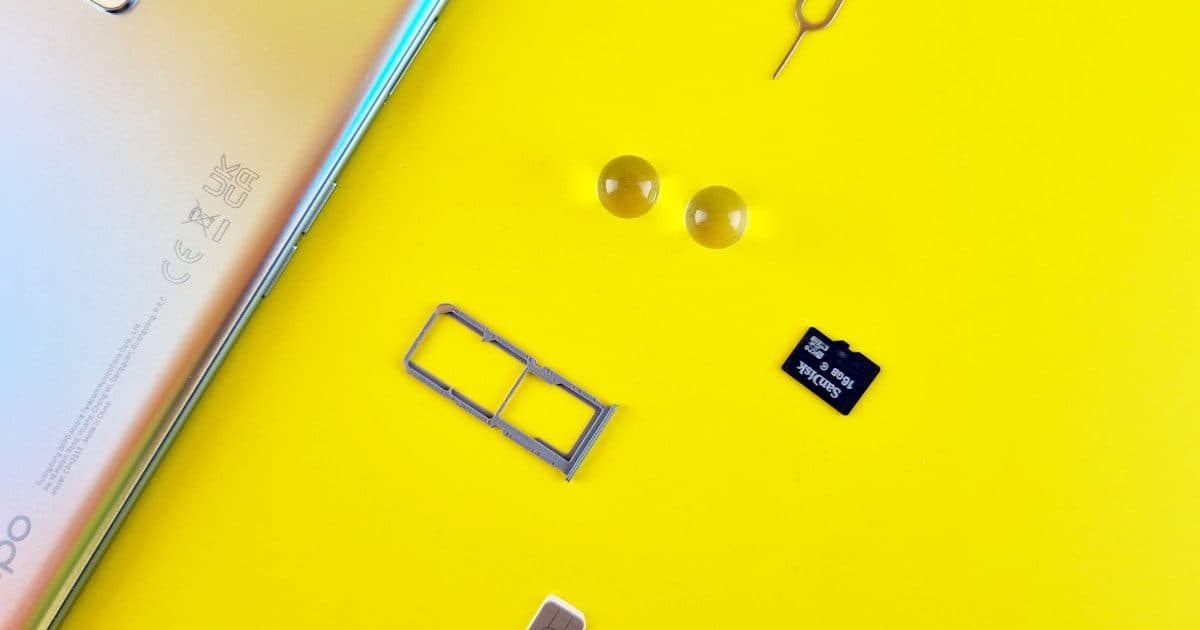
Our Pick: Get CelcomDigi 65GB (RM49) at the airport — best speed and coverage for 30 days. Visiting Singapore or Thailand too? Hotlink 100GB (RM35) works across 4 countries. Prefer eSIM? Skip the 20-minute passport queue — get Airalo from $4.50 or Yesim from $0.54/day and activate before your flight.
Since Feb 2026: Physical SIMs require original passport + biometric photo + hotel address (MCMC rules). eSIMs skip all registration.
In This Guide
Malaysia Mobile Network Overview
Malaysia has excellent 4G/5G coverage (97%+ of populated areas) and some of the cheapest tourist data plans in Southeast Asia. Three carriers serve the market:
- CelcomDigi — Largest carrier (Celcom + Digi merged 2022), best coverage everywhere including Borneo
- Maxis (Hotlink) — Strong urban coverage, best multi-country roaming plans
- U Mobile — Cheapest plans, solid in cities, weak in rural areas and Borneo
All three share Malaysia's 5G network (via DNB), so 5G coverage is identical. The real differences are in 4G coverage and pricing.
Speed Expectations:
| Network | Download | Upload | Latency |
|---|---|---|---|
| 5G | 100-500 Mbps | 20-50 Mbps | 10-20ms |
| 4G LTE | 20-80 Mbps | 5-20 Mbps | 30-50ms |
Malaysia shut down 3G entirely in 2022 — all tourist SIMs run on 4G at minimum.
How Malaysia Compares on Price
| Country | Tourist SIM (7 days) | Data |
|---|---|---|
| Malaysia | RM12-35 (~$3-8) | 20-100GB |
| Singapore | S$15-30 (~$11-22) | 5-10GB |
| Thailand | ฿299-599 (~$8-17) | 15-30GB |
| Indonesia | Rp50-100k (~$3-6) | 5-15GB |
| Vietnam | ₫100-200k (~$4-8) | 5-10GB |
Malaysia offers 5-10x more data per dollar than neighboring countries.
SIM Card Comparison
Which SIM Is Right For You?
| Your Situation | Get This | Price | Why |
|---|---|---|---|
| Best all-round value | CelcomDigi 65GB | RM49 | Uncapped 100 Mbps, 30 days, best rural coverage |
| Multi-country trip (SG/TH/ID) | Hotlink Travel SIM | RM35 | 100GB across 4 countries, 15 days |
| Short trip, tight budget | U Mobile 7-Day | RM12 | 25GB for a week — cheapest option |
| Going to Borneo | CelcomDigi | RM35+ | Only carrier with reliable rural Borneo signal |
| eSIM (skip passport queue) | Airalo | From $4.50 | Instant activation, no registration needed |
| Maximum data | Hotlink 200GB | RM60 | 200GB, 30 days, works in 4 countries |
Full Plan Comparison
| Provider | Plan | Data (FUP) | Speed Cap | Validity | Total Cost |
|---|---|---|---|---|---|
| CelcomDigi | Prepaid Tourist (RM10 reg + RM39 plan) | 65GB | Up to 100 Mbps | 30 days | RM49 |
| CelcomDigi | Year-End Tourist Bonus (limited promo) | 100GB | Up to 100 Mbps | 30 days | RM49 |
| Hotlink (Maxis) | Travel SIM | 100GB | Uncapped 5G (FUP) | 15 days | RM35 |
| Hotlink (Maxis) | Travel SIM Plus (physical SIM only) | 200GB | Uncapped 5G (FUP) | 30 days | RM60 |
| U Mobile | 7-Day | 25GB | Unlimited | 7 days | RM12 |
| U Mobile | 14-Day | 50GB | Unlimited | 14 days | RM35 |
| U Mobile | 30-Day | 100GB | Unlimited | 30 days | RM60 |
After hitting the data limit, speeds throttle to 512 Kbps.
CelcomDigi — The Coverage King
Malaysia's largest carrier with the most extensive network. Best choice for rural areas, islands, and Borneo. The 65GB tourist plan (RM49 total: RM10 registration + RM39 plan) gives uncapped 100 Mbps for 30 days. Available at KLIA before passport control.
Hotlink (Maxis) — The Multi-Country Champion
100GB for RM35 that works across Malaysia, Singapore, Thailand, and Indonesia — same data pool, no extra charge. Uncapped 5G speeds since the Nov 2025 upgrade. Also available as eSIM via the Hotlink app.
U Mobile — The Budget Pick
RM12 for 25GB over 7 days is unbeatable for short trips. Good in cities but weaker in rural areas. Avoid for Sabah/Sarawak trips — coverage is very limited in Borneo.
Why Many Travelers Now Choose eSIM
Under new MCMC rules (Feb 2026), physical SIM registration requires your original passport, biometric photo, and hotel address — adding 10-20 minutes at the airport. eSIM skips all of this: activate before your flight, data works the moment you land.
| Option | Data | Cost | Registration |
|---|---|---|---|
| International Roaming | 1-2GB | $30-70/day | None |
| Airalo eSIM | 1GB | ~$4.50 | None (instant) |
| Yesim eSIM | 7 days | ~$3.80 | None (instant) |
| Local SIM (U Mobile) | 25GB | ~$2.70 | Passport + biometric |
| Local SIM (CelcomDigi) | 65GB | ~$11 | Passport + biometric |
eSIM compatible: iPhone XS+, Samsung Galaxy S20+, Google Pixel 3+, most 2021+ flagships.
Get Connected — Pick Your SIM
Order on Shopee for airport pickup, or activate an eSIM before your flight. Most travelers pick one of these five.

Malaysia's #1 carrier. 65GB tourist SIM with uncapped 100 Mbps. Best rural & Borneo coverage.

100GB for RM35 (15 days) on the Maxis network. Works in Malaysia, Singapore, Thailand & Indonesia.
Budget Malaysian prepaid SIM — an MVNO on the CelcomDigi network. Cheap data, no contract; sold at KLIA2 and online.

Cheapest 7-day tourist SIM at RM12 for 25GB. Multi-country plans cover MY, SG, TH, ID.

The world's first eSIM store. Affordable data packs for 200+ countries.

eSIM for 200+ countries. Pay-as-you-go or unlimited plans, 5G ready, no contracts.
Where to Buy
At the Airport (Recommended)
All SIM card shops at KLIA and KLIA2 are open 24 hours. Prices are identical to city shops — no tourist markup. Staff handle SIM insertion, registration, and testing.
KLIA Layout:
- Before immigration: CelcomDigi shop on the right (buy before passport control)
- After customs at KLIA2: U Mobile, Hotlink, Tune Talk on the left; Bluecube on the right
Payment: Hotlink and CelcomDigi accept cards. Some counters (Tune Talk, Bluecube) are cash only.
Other airports: Hotlink Travel SIM available at Langkawi and Penang airports.
Convenience Stores (Backup)
SIM starter packs (RM10-15) at 7-Eleven (24/7), FamilyMart, and 99 Speedmart. Self-registration required via provider app — staff may not help.
Registration Requirements (Updated Feb 2026)
Under MCMC Determination No. 1, all prepaid SIMs must be registered:
- Original passport required (photocopies, photos, scans NOT accepted)
- Hotel or accommodation address in Malaysia
- Biometric verification (photo + passport scan) — 5-10 minutes at counter
- Maximum 2 prepaid SIMs per telco for tourists
- Tourist SIMs valid for maximum 3 months from registration (auto-terminated)
- Under 12: cannot register. Ages 12-17: parent/guardian must register.
- Do NOT use a SIM pre-activated before your registration (strictly prohibited)
Plans by Trip Length
Short Trip (3-7 Days)
| Plan | Data | Price | Daily Cost |
|---|---|---|---|
| U Mobile 7-Day | 25GB | RM12 | RM1.71 |
| CelcomDigi 7-Day Pass | 20GB | RM22 | RM3.14 |
| Airalo eSIM | 1-3GB | ~RM20-45 | ~RM3-6 |
Pick U Mobile for budget, CelcomDigi if heading to rural areas or Borneo.
Standard Trip (7-14 Days)
| Plan | Data | Price | Daily Cost |
|---|---|---|---|
| Hotlink Travel SIM | 100GB | RM35 | RM2.33 |
| U Mobile 14-Day | 50GB | RM35 | RM2.50 |
Hotlink wins — 100GB with uncapped speed and multi-country coverage at RM2.33/day.
Long Stay (14-30 Days)
| Plan | Data | Price |
|---|---|---|
| CelcomDigi 65GB Tourist | 65GB | RM49 |
| Hotlink Travel SIM Plus | 200GB | RM60 |
| U Mobile 30-Day | 100GB | RM60 |
CelcomDigi has the best per-GB price. Hotlink gives the most data with multi-country roaming.
How Much Data Do You Need?
| Activity | Data per Hour |
|---|---|
| Google Maps | 5-10 MB |
| WhatsApp messaging | 1-2 MB |
| Instagram browsing | 100-200 MB |
| YouTube HD | 1-2 GB |
| Video calls | 250-350 MB |
Most tourists use 1-3 GB/day. Even the cheapest plan (25GB/7 days) gives you plenty.
Setup & Troubleshooting
Initial Setup
- Power off → insert SIM → power on → wait 1-2 minutes
- You should see the provider name (Digi, Maxis, Celcom, U Mobile)
- Enable Mobile Data and set Network Selection to Automatic
- Enable Data Roaming if data doesn't work immediately
APN Settings (If Data Won't Work)
| Provider | APN |
|---|---|
| CelcomDigi | celcom4g |
| Hotlink/Maxis | unet |
| U Mobile | my3g |
iPhone: Settings → Cellular → Cellular Data Options → Cellular Network
Android: Settings → Connections → Mobile Networks → Access Point Names
Top-Up Methods
- Provider apps (CelcomDigi, Hotlink, MyUMobile) — link card or GrabPay for instant top-up
- Touch 'n Go eWallet — works for all providers
- 7-Eleven — physical reload cards, 24/7
Common Fixes
- No service: Restart phone, check SIM is seated properly, wait up to 15 minutes for activation
- Data not working: Check APN settings above, toggle airplane mode on and off
- Slow speeds: You've likely hit the FUP limit — check remaining data in the provider app and buy more
| Hotlines: CelcomDigi 1-300-111-000 | Hotlink 1-800-82-1919 | U Mobile 018-3881118 |
eSIM Guide
Why Travelers Are Switching to eSIM
Since February 2026, physical SIM registration requires your passport, biometric photo, and hotel address — a 10-20 minute process at the airport. eSIM skips all of this. Buy online, scan a QR code, and have data the moment you land.
Is Your Phone Compatible?
- iPhone XS and newer (all 11, 12, 13, 14, 15, 16 series) ✓
- Samsung Galaxy S20+ and newer, Z Fold/Flip ✓
- Google Pixel 3+ ✓
- Most 2021+ flagship phones ✓
| Check: iPhone → Settings → Cellular → Add eSIM | Android → Settings → Network → SIM → Add eSIM |
Local eSIM (Best Value)
Hotlink offers an eSIM version of the Travel SIM — local pricing with eSIM convenience. Note: only the 100GB / 15-day plan is currently available as eSIM; the 200GB / RM60 option is physical SIM only.
| Data | Validity | Price | Coverage |
|---|---|---|---|
| 100GB | 15 days | RM35 | MY, SG, TH, ID |
Activate instantly via the Hotlink app. Same uncapped 5G speeds as the physical SIM.
International eSIM Providers
| Provider | Plan | Price | Best For |
|---|---|---|---|
| Airalo | 1GB / 7 days | ~$4.50 | Light use, short trips |
| Airalo | 5GB / 30 days | ~$14 | Moderate use |
| Yesim | Pay-as-you-go | $0.54/day | Flexible trip length, 5G |
Airalo is used by 10M+ travelers worldwide and has the widest plan selection. Yesim offers pay-as-you-go pricing — only pay for days you use.
Cost Per GB: Local vs International
| Option | Cost/GB |
|---|---|
| Hotlink eSIM 100GB | RM0.35 |
| CelcomDigi Physical 65GB | RM0.75 |
| Airalo 5GB | ~RM2.80 |
| International Roaming | RM60-300 |
Local eSIMs are 10x cheaper per GB. Choose Airalo or Yesim if you want instant activation from anywhere in the world, or if your phone doesn't support the Hotlink app.
How to Activate
- Purchase eSIM plan via provider website or app
- Receive QR code via email or in-app
- Scan QR in phone settings (you can do this before your flight)
- Label it "Malaysia Data"
- Enable when you land — set eSIM for mobile data, enable data roaming
Which SIM plan fits you?
Pick a tier based on monthly data and primary use
Recommended tier
Standard — 20–100GB / typical 30-day stay
Best speed-coverage value in this range
- →CelcomDigi Prepaid Tourist — 65GB / 30 days / RM 49 (up to 100 Mbps)
- →Hotlink Travel SIM — 100GB / 15 days / RM 35 (works in MY+SG+TH+ID, also as eSIM)
Estimate only — figures may differ from official rates. See sources →
Coverage by Region
Since 5G runs on a shared network (DNB), 5G coverage is identical across all carriers. The differences are in 4G coverage, especially outside cities.
| Region | Coverage | Best Provider | Notes |
|---|---|---|---|
| KL & Selangor | Excellent | All equal | Full 5G in city center, all malls and transit covered |
| Penang | Excellent | All equal | Full coverage across island and mainland |
| Johor Bahru | Excellent | All equal | Good connectivity to Singapore |
| Langkawi | Good | CelcomDigi edge | Slightly better at remote beaches |
| Cameron Highlands | Variable | CelcomDigi | Spotty on hiking trails, good in towns |
| East Coast Islands | Variable | CelcomDigi | Best option for Perhentian, Redang, Tioman |
| Taman Negara | Limited | CelcomDigi | Signal mainly at park HQ area |
| Sabah (Borneo) | Mixed | CelcomDigi only | U Mobile very limited — avoid for Sabah |
| Sarawak (Borneo) | Mixed | CelcomDigi only | U Mobile very limited — avoid for Sarawak |
Key Takeaways
- Staying in cities? Any carrier works perfectly
- Islands or highlands? CelcomDigi is the safe bet
- Borneo (Sabah/Sarawak)? CelcomDigi is non-negotiable — do not buy U Mobile
- Download offline Google Maps before visiting remote areas
Data Usage Guide
Activity Data Consumption
| Activity | Data per Hour | Notes |
|---|---|---|
| Google Maps navigation | 5-10 MB | Download offline maps to save data |
| WhatsApp messaging | 1-2 MB | Text only |
| WhatsApp voice call | 30-40 MB | Good quality |
| WhatsApp video call | 250-350 MB | Depends on quality |
| Instagram browsing | 100-200 MB | Videos use more |
| YouTube SD (480p) | 300-500 MB | Standard quality |
| YouTube HD (1080p) | 1-2 GB | High quality |
| Spotify streaming | 40-70 MB | Normal quality |
| Grab app | 5-10 MB | Per ride booking |
Daily Usage by Traveler Type
| Trip Length | Light User (1-2 GB/day) | Moderate (2-4 GB/day) | Heavy (4-8 GB/day) |
|---|---|---|---|
| 3 days | 3-5 GB | 6-10 GB | 12-20 GB |
| 7 days | 7-14 GB | 15-25 GB | 30-50 GB |
| 14 days | 14-28 GB | 30-50 GB | 60-100 GB |
| 30 days | 30-60 GB | 60-100 GB | Unlimited |
Data-Saving Tips
- Download offline Google Maps for Malaysia before arriving
- Use hotel/cafe WiFi for heavy downloads and video calls
- Disable auto-play videos on Instagram and Facebook
- Use WhatsApp calls instead of regular international calls
- Turn off background app refresh on your phone
WiFi Availability in Malaysia
Free WiFi is widely available at hotels (10-50 Mbps), shopping malls (5-20 Mbps), cafes (5-30 Mbps), and airports (10-30 Mbps). Most require registration or asking staff for the password.
Business Traveler Guide
Best Plans for Business Use
| Provider | Plan | Data | Price | Why |
|---|---|---|---|---|
| CelcomDigi | 65GB Tourist | 65GB | RM49 | Best coverage + uncapped speed |
| Hotlink | Travel SIM Plus | 200GB | RM60 | Most data, multi-country roaming |
Video Conferencing Requirements
| Platform | Minimum | Recommended |
|---|---|---|
| Zoom | 1.5 Mbps | 3-5 Mbps |
| Microsoft Teams | 1.5 Mbps | 4-6 Mbps |
| Google Meet | 1 Mbps | 2.5-4 Mbps |
Malaysian 4G (20-80 Mbps) easily exceeds all requirements in urban areas. 5G provides excellent quality for multi-participant calls.
Hotspot/Tethering
All Malaysian prepaid plans allow hotspot sharing. Bring a portable charger — tethering drains battery fast. Use 5GHz band if available for better speed.
VPN Considerations
Malaysia doesn't block VPNs. Expect 10-30% speed reduction. Choose servers in Singapore for best latency to Malaysian networks.
Coworking Spaces in KL
- Common Ground (multiple locations) — day passes from RM50
- WORQ — flexible workspace from RM65/day
- Colony — premium, from RM100/day
- Hotel business centers — usually available to guests
Most offer 50-100+ Mbps WiFi, private meeting rooms, and printing.
Advanced Troubleshooting
No Signal After Inserting SIM
- Check SIM inserted correctly (chip facing down), tray fully closed
- Turn airplane mode off, restart phone
- Settings → Mobile Network → ensure "Mobile Data" ON, Network Selection "Automatic"
- New SIMs may take 5-15 minutes to activate — check for SMS confirmation
- Verify phone is unlocked and supports Malaysia's bands (700/850/900/1800/2100/2600 MHz for 4G, 3500 MHz for 5G)
Data Not Working (Signal Present)
Full APN Settings:
| CelcomDigi — APN: celcom4g | Username: (blank) | Password: (blank) |
| Hotlink/Maxis — APN: unet | Username: maxis | Password: wap |
| U Mobile — APN: my3g | Username: (blank) | Password: (blank) |
Other fixes: Toggle airplane mode, check data quota in provider app (100# for Hotlink, 116# for CelcomDigi, *118# for U Mobile), reset network settings as last resort.
Slow Speeds
Usually caused by hitting the FUP (fair usage policy) limit — you've used your data allocation and been throttled to 512 Kbps. Check remaining data in the provider app and buy a top-up pass. Other causes: network congestion during peak hours (8-10pm), weak signal in your area.
eSIM Issues
- QR won't scan: Good lighting, clean camera lens, try manual entry
- No data after install: Verify eSIM is selected for mobile data, enable data roaming
- Can't add eSIM: Phone may not support it, may be carrier-locked, or max profiles reached
Emergency Contacts
- CelcomDigi: 1-300-111-000 or *116#
- Hotlink (Maxis): 1-800-82-1919 or *100#
- U Mobile: 018-3881118 or *118#
- MCMC (Regulator): 1-800-888-030
- Consumer Complaints: aduan.skmm.gov.my
Long-Stay & Expat Options
Postpaid vs Prepaid for Long Stays
| Feature | Prepaid | Postpaid |
|---|---|---|
| Contract | None | 12-24 months |
| Credit check | No | Yes (local) |
| Monthly cost | RM30-80 | RM50-150 |
| Data | Limited (FUP) | Often unlimited |
| Requirements | Passport only | Passport + work permit + address proof |
Best Postpaid Plans for Expats
- CelcomDigi Postpaid 80: Unlimited data, RM80/month — best coverage
- Maxis Postpaid 98: Unlimited data, RM98/month — strong urban network
- U Mobile Postpaid: From RM39/month — most affordable
Requirements: Valid passport, work permit/visa, proof of address (utility bill or tenancy agreement). Visit a provider store (not dealer) with all documents.
Optimizing Prepaid for Long Stays
If postpaid isn't possible, set up auto top-up via the provider app with a credit card or e-wallet. CelcomDigi's 65GB plan at RM39/month (after one-time RM10 registration) is the best value for ongoing prepaid use.
Number Porting
Switch providers and keep your Malaysian number — free, takes 1-3 business days. Initiate at the new provider's store.
Home Broadband
For heavy users or work-from-home:
- Unifi (TM): From RM99/month, fiber
- Maxis Fibre: From RM89/month
- Time Fibre: From RM99/month (fastest)
Installation requires tenancy agreement + passport, 1-2 week wait.
Dual SIM Strategy
Most expats use: Malaysian SIM (local calls/data) + home country eSIM (banking OTPs, family calls). Modern phones support physical SIM + eSIM simultaneously.
Frequently Asked Questions
Q: Can I use my home country SIM in Malaysia?
A: Yes, with international roaming — but it costs $30-70/day for data. A local SIM or eSIM gives you 25-100GB for $3-11.
Q: Do I need to register my SIM card?
A: Yes. Since Feb 2026, all SIMs require original passport, hotel address, and biometric photo. eSIMs skip this entirely.
Q: What happens if I run out of data?
A: Data throttles to 512 Kbps (very slow). Buy more data via the provider app — instant activation.
Q: Can I use my Malaysian SIM in Singapore, Thailand, or Indonesia?
A: Hotlink Travel SIM and U Mobile Travellers Plan include these countries at no extra cost. CelcomDigi requires separate roaming packages.
Q: Will my phone work in Malaysia?
A: Most modern phones work. Malaysia uses 4G LTE on bands 700/850/900/1800/2100/2600 MHz. 3G was shut down in 2022, so your phone must support 4G.
Q: Where's the cheapest place to buy a SIM?
A: Prices are standardized everywhere. Airport counters are the most convenient — open 24/7 at KLIA with same pricing as city shops.
Where Malaysia Mobile Data Is Headed
These are forward-looking predictions, not guarantees — but Malaysia's connectivity trajectory is one of the most exciting in the region, and travelers stand to gain the most.
Malaysia already offers some of the cheapest, fastest tourist data in Southeast Asia. Here's how staying connected gets even better toward 2027-2030 and beyond:
- 5G coverage will hit near-total saturation. With dual-network rollout under JENDELA, expect blazing 5G not just in KL and Penang but across highways, islands, and even parts of rural Borneo — making "no signal" zones a rarity.
- eSIM becomes the obvious default. As Airalo and local telco eSIMs mature, most travelers will land already connected, skipping airport queues entirely. Instant QR activation will feel as normal as connecting to WiFi.
- Multi-country regional SIMs go bigger. A single CelcomDigi or Hotlink plan covering Malaysia, Singapore, Thailand, and Indonesia on one shared data pool will become the standard for ASEAN trips — no roaming surprises.
- Tourist data allowances keep climbing. Expect 200GB+ tourist plans at today's prices, plus unlimited social-media and maps bundles tailored for visitors.
- Smarter, app-first activation. Biometric registration will be handled entirely in-app before arrival, turning SIM setup into a 60-second task done from your sofa back home.
- 5G-powered everything. Faster mobile hotspots, lag-free video calls, and seamless cloud access will make Malaysia a top pick for digital nomads and remote workers across the region.
The bottom line: getting online in Malaysia is already a bargain, and it's only getting faster, cheaper, and more effortless — connectivity here is a genuine travel superpower.
Sources & References
This guide is cross-referenced against primary official sources, regulatory references, and locally relevant materials.
- Malaysian Communications and Multimedia Commission (MCMC) Official regulator for telecoms in Malaysia; publishes coverage maps and operator licence data.
- Maxis — Tourist SIM Maxis's official tourist SIM product page with prepaid plan details and pricing.
- Celcom — Prepaid Plans Celcom prepaid and tourist SIM plan information including data and voice bundles.
- Digi — Prepaid Tourist SIM Digi prepaid plan details covering tourist-oriented data packages.
- Airalo — Malaysia eSIMs International eSIM marketplace with Malaysia data plan options for travellers.